Looking for five
A channel where solo players post role, rank and hours. Pin a short intro format so recruits are easy to compare.
Set up scrim planning channels, run VOD review over screen share in voice and post the aces where the whole team sees them. Free to use in the browser. Our goal is for it to feel simpler than Discord.
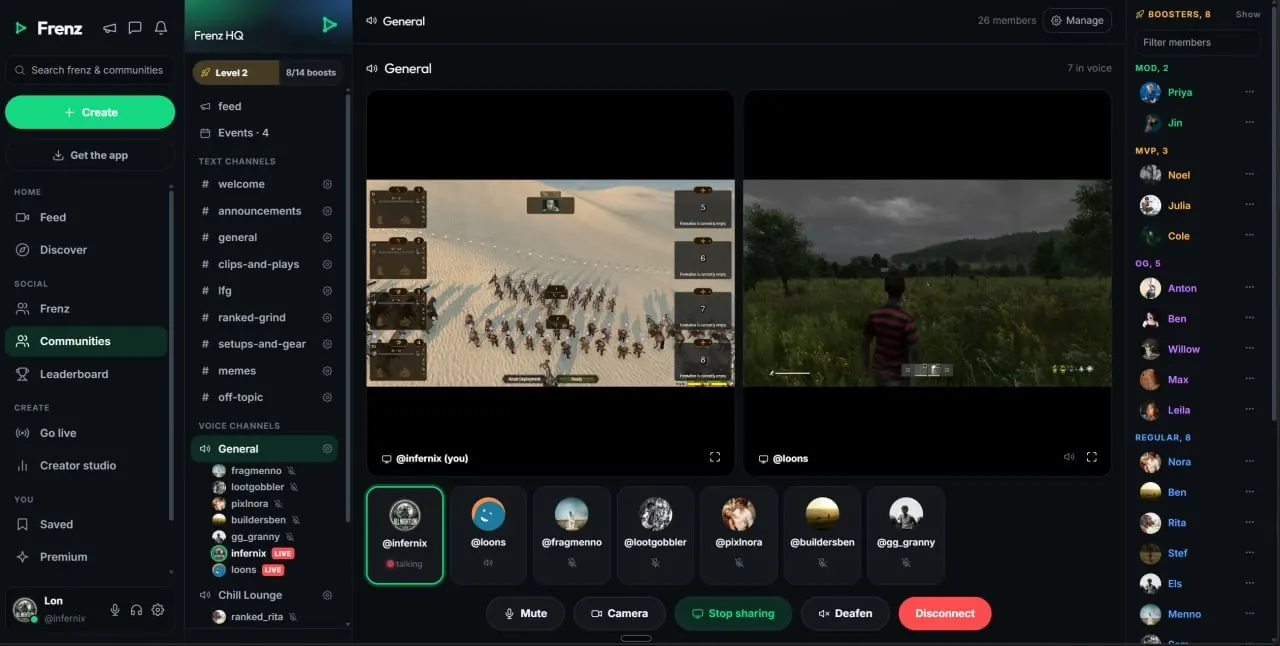
A CS2 community on Frenz gives your team text channels, voice with screen share, a shared feed and events. Set up a looking-for-five channel, plan scrims, run VOD review in voice and post ace clips. Connect the community to Counter-Strike 2 so players who follow the game find it in Browse.Product facts reviewed July 18, 2026
What to set up
Frenz gives you text channels, voice channels, a shared feed, events and roles. How you arrange them is up to you. Here is a setup that works for a CS2 team.
A channel where solo players post role, rank and hours. Pin a short intro format so recruits are easy to compare.
Post availability, confirm blocks and log results. Create an event for each scrim so the whole roster sees the time.
A voice channel for playing. Push-to-talk or open mic, per-person volume and noise suppression on by default.
A second voice channel for review nights. Share your screen with audio and walk the team through the demo.
Post aces and clutches to the community feed. Tag the teammates in the round and the clip shows on their profiles too.
Scrims and matchdays
Events, channels and roles are yours to shape. A simple weekly rhythm beats a complicated one nobody follows.
Create these as community events and pin the format in your scrim channel. Adjust the days to your roster.
Two maps against a practice partner. Put server details in the event.
One demo, three rounds, clear takeaways. Voice plus screen share.
League or tournament night. Tag your starters with @mentions to check in.
Create an event for every fixture so check-in, warmup and go time sit in front of the whole community.
Review nights
No extra software. Screen share with audio is part of every voice channel, and voice is free.
Hop into your VOD review voice channel. Push-to-talk keeps the room quiet while one person drives.
The reviewer shares their screen with audio, so the team hears the round exactly as it played.
Pause on the buy, the utility and the retake. Per-person volume keeps the discussion easy to follow.
Drop three notes in your scrim channel and pin them. The next scrim starts from that list.
Aces and clutches
Upload from any device, or capture on PC with the free desktop app. Either way the clip ends up on your profile and in the community feed.
The free Windows app keeps a rolling instant replay, so the ace is already captured when the round ends. Press F9, keep playing and find the draft on your profile later. Your mic is optional, with noise cleanup on by default.
A tagged clip shows on your teammates' profiles too and reaches their followers' feeds. Every clip gets a public watch page with rich link previews, and a view only counts after 10 seconds of real watching.
How players find it
Discovery runs on the games players add to their profiles. Connect the community once and let the game do the introductions.
Players who add Counter-Strike 2 to their profile see communities connected to the game first in Browse and recommendations, with the game's box art right there in the grid.
Players who follow the game see these first.
Groups without the connection come after.
Your content carries the game with it.
CS2 communities
Direct answers about scrims, VOD review, clips, discovery and moving an existing team.
On Frenz, add Counter-Strike 2 to your games and open Communities. Communities connected to the game appear first in Browse and recommendations, ahead of unrelated groups.
Text channels, voice channels, a shared feed, events, photo and video channels, roles, per-community nicknames and moderation controls. How you arrange them, from a looking-for-five channel to a scrim calendar, is up to you.
Join a voice channel and share your screen with audio. The team hears the demo while you talk through it. Push-to-talk, per-person volume and noise suppression on by default keep the room usable. Voice is free.
Yes. Set up a scrim planning channel for availability and results, and create community events for scrim blocks and matchdays so the whole roster sees the schedule.
The free Windows desktop app keeps a rolling instant replay of the last 15 seconds up to 2 minutes. Press F9 and the moment is saved as a private draft on your profile. You publish when you choose.
The clip shows on their profiles too and reaches their followers' feeds. One ace can travel through the whole team's audience instead of only yours.
Eligible communities with at least 500 members can add up to three paid tiers from €2.99 per month. The owner keeps 90% before payment processing. A free community can stay fully open.
Yes. Create the core channels, invite the same people and move at your own pace. You can keep Discord running while the team settles in. Our goal is for Frenz to feel simpler to set up and easier to get around.
Related Frenz guides
More on communities, clipping on PC and voice for game nights.
Free to start
Start with a scrim channel and one voice room. The team makes it a community.