An #lfg channel
Create a channel where players post the mode, the region and the slots they need to fill. One message replaces twenty friend requests.
Fill duos, trios and squads from one crew instead of random fill. Set up an #lfg channel, a voice room per squad, customs nights and a feed for the best plays. Free, and it runs in the browser.
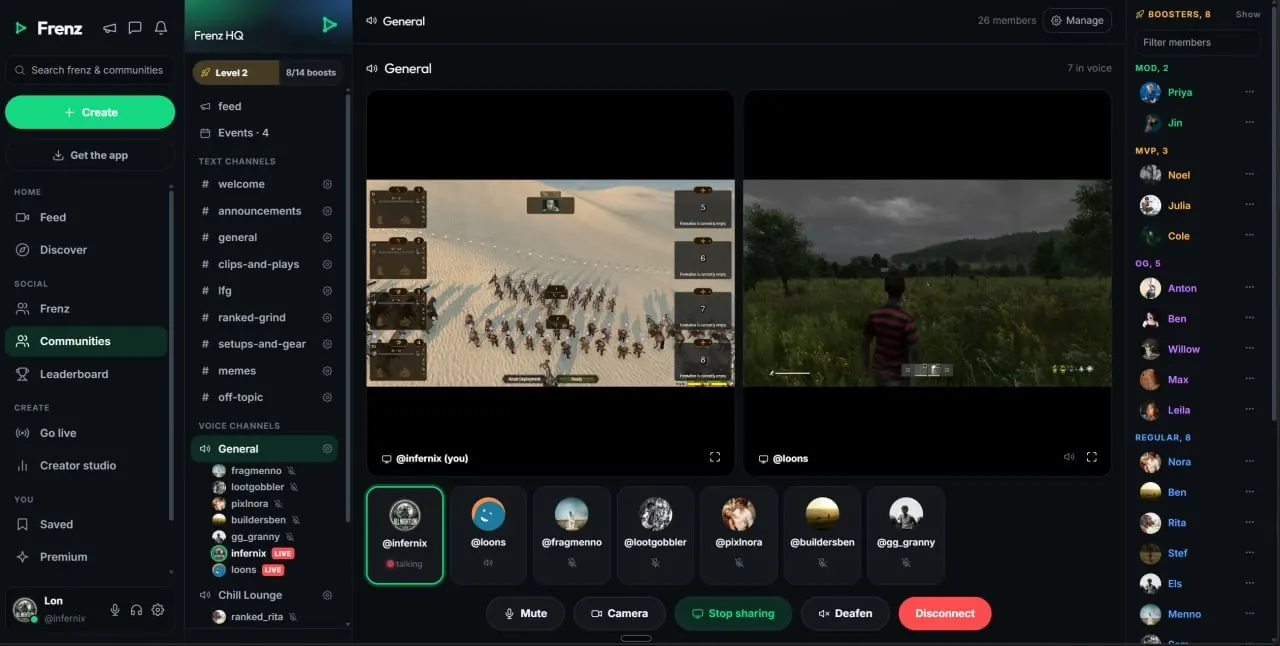
A Fortnite community on Frenz gives your squad text channels, voice rooms, a shared feed and events in one place. Connect it to Fortnite so players who add the game see it first in Browse. Set up channels like #lfg and #zero-build, open a voice room per squad and plan customs nights with events.Product facts reviewed July 18, 2026
Built for squad finding
A community gives you one place to find players for duos, trios and squads, hear them in voice and keep the best moments after the match ends.
Create a channel where players post the mode, the region and the slots they need to fill. One message replaces twenty friend requests.
Open a voice channel for each squad. Push-to-talk or open mic, noise suppression on by default and per-person volume. Free.
Split channels like #zero-build and #build-crews so both camps find teammates who play the same way.
Schedule custom games nights and creative map sessions with community events, and share codes in a #creative-codes channel.
The community feed keeps the best plays visible after chat scrolls on. Post clips, screenshots and full videos.
Set up in minutes
None of this is preset. You pick the channels, the names and the rooms, so the community fits how your squad plays.
Crews usually keep it short. A handful of channels people use beats thirty empty ones.
Players who add Fortnite to their profile see matching communities first in Browse and recommendations. Game tags on clips and streams, and box art in Browse, give them more ways in.
Communities connected to the player's chosen game.
Clips and streams tagged Fortnite lead players back to your community.
Players find you by name, or a member drops the invite in their squad.
One evening, start to finish
Events, text and voice already live in the community, so the night runs in one place instead of three apps.
Pick a date and post it as a community event so the crew sees it coming.
Drop the format, rules and start time in a channel like #customs-nights.
Open a voice channel per squad. Screen share with audio if someone wants to spectate.
Put the best plays on the community feed and tag everyone in the moment.
After the match
A squad wipe deserves a bigger audience than the four people who were there. Frenz makes the capture and the sharing part easy.
The free Windows app keeps an instant replay buffer of 15 seconds up to 2 minutes. Saves land as private drafts on your profile and publish when you choose.
Tag the squad members who were in the moment. The clip shows on their profiles too and reaches their followers' feeds.
Each clip gets a public watch page with rich link previews, so it looks right wherever you paste it. A view counts after 10 seconds of real watching.
Fortnite squads on Frenz
Direct answers about finding players, customs nights, clips and moving from Discord.
On Frenz, add Fortnite to your games and open Communities. Communities connected to Fortnite appear ahead of unrelated groups in Browse and recommendations.
Join a community, then use its LFG channel to post the mode and the slots you need. Meet in a voice room and queue together. Crews usually name the channel #lfg.
Yes. Set up separate channels, for example #zero-build and #build-crews, and open a voice room per squad. Both sides find the right teammates in the same crew.
Communities have events. Post the night as an event, share rules and start time in a text channel, meet in voice channels and put the best moments on the community feed.
Upload from any device or capture on PC with the free desktop app. Tag the squad members who were in the moment and the clip shows on their profiles too and reaches their followers' feeds.
No. Voice rooms and community voice channels are free, with push-to-talk or open mic, noise suppression on by default, per-person volume and screen share with audio.
Eligible communities with at least 500 members can add up to three paid tiers from €2.99 per month. The owner keeps 90% before payment processing.
Yes. Create the core channels, invite the same people and move at your own pace. Our goal is for Frenz to feel simpler than Discord, and a crew can use both while it settles in.
Related Frenz guides
More detail on communities, voice and the clip tools mentioned above.
Free to start
Set up a few channels, share the invite and queue up together.