Upload from any device
Post from your PC or phone in the browser. Phones use the mobile web app, no install needed.
Upload a clip from any device or capture it on PC, then post it to a feed your frenz actually scroll. Tag the squad members who were in the moment and the clip shows on their profiles too, reaching their followers' feeds.
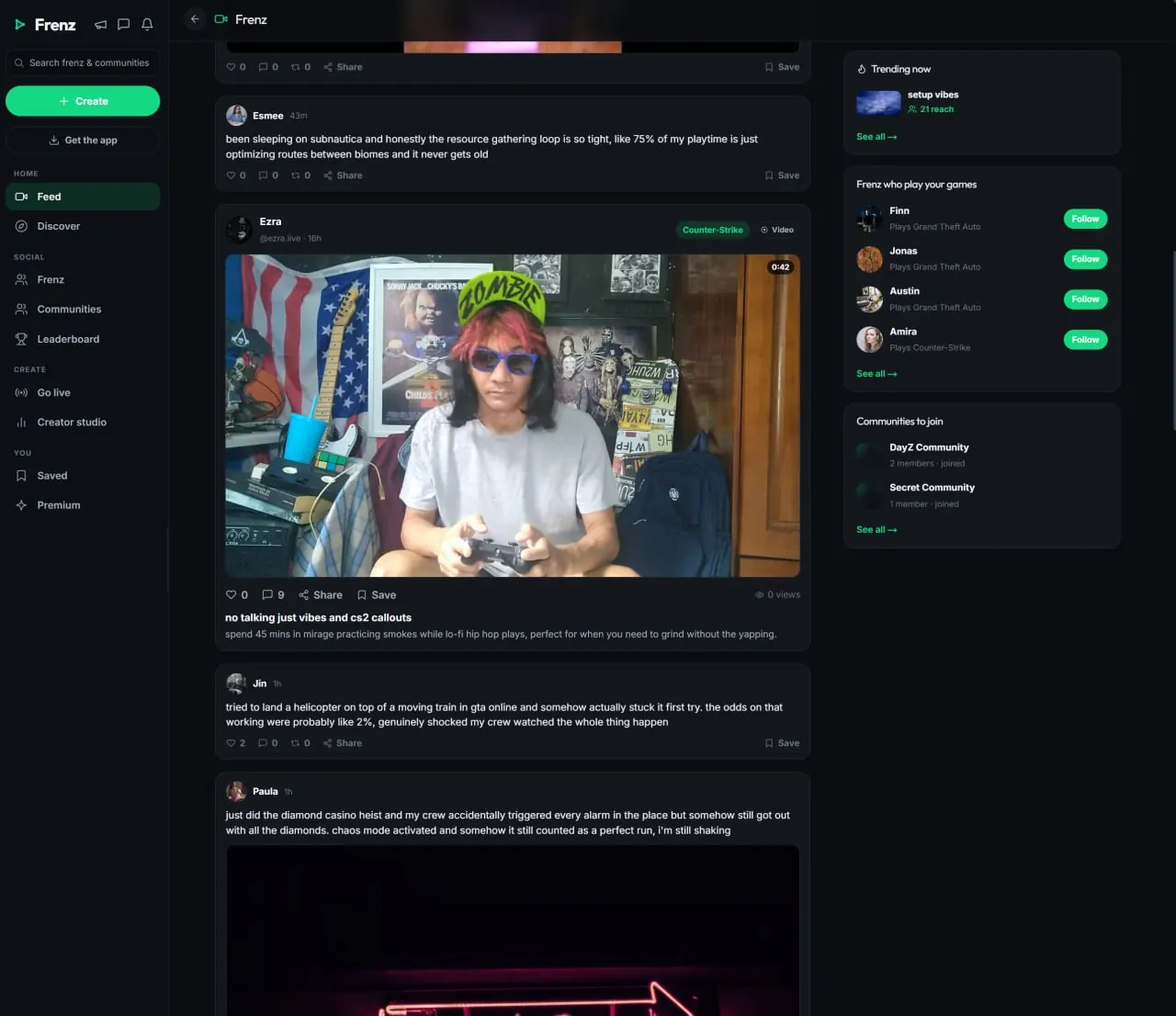
Post your clip on Frenz and it lands in the feeds of people who follow you and play the same games. Tag the squad members who were in the moment and it shows on their profiles too, reaching their followers' feeds. Every clip gets a public watch page with rich link previews, so one link works in any chat or platform.Product facts reviewed July 18, 2026
Upload or capture
Both roads end in the same place: a clip on your profile, ready to trim, tag and post.
Post from your PC or phone in the browser. Phones use the mobile web app, no install needed.
The free Windows app keeps a buffer of the last 15 seconds to 2 minutes. Press F9 and the moment is saved.
Switch auto-record on and it starts when a known game launches. Auto-clip (beta) saves loud moments on its own.
Include your microphone if you want. Mic noise cleanup is on by default, so the callout stays and the fan noise goes.
Captures land as private drafts on your profile. Nothing goes public until you publish it.
The part that spreads it
A play almost never belongs to one person. Tagging the squad members who were in the moment puts the clip in front of everyone's followers, and everyone tagged shares the audience.
One post, three audiences. The clip travels with everyone who was in the moment.
The clip lands in the feed of everyone who follows you.
Tagged squad members get the clip on their profiles too.
The same clip reaches the followers of everyone tagged.
Every clip keeps its own likes, comments and view count.
A view only counts after 10 seconds of real watching, so the number under your clip reflects people who actually watched it.
Before you post
The editor lives where the clip does, so a capture goes from draft to posted without leaving Frenz.
Cut the start and end so the clip opens on the action.
Drop a track under the clip when the moment calls for it.
Apply a filter or change the playback speed. A slowdown sells the flick.
Add a title, tag the squad members who were in the moment and publish.
Sharing clips on Frenz
Direct answers about posting, tagging, editing, view counts and sharing a clip outside Frenz.
Upload the clip from any device or capture it on PC with the free desktop app, add a title, trim if you want and post. It lands in the feeds of people who follow you, and every clip gets a public watch page you can link anywhere.
The clip shows on their profiles too and reaches their followers' feeds, so everyone who was in the moment shares the audience.
Yes. Trim it, add a music track, apply filters and change the playback speed. On PC, captures land as private drafts on your profile, so you can edit first and publish when you choose.
A view counts after 10 seconds of real watching. A scroll-past does not move the number.
Yes. Every clip has a public watch page with rich link previews, so the link shows a proper preview wherever you paste it.
No. Frenz works in the browser and phones use the mobile web app, so you can upload from any device. The free Windows app adds instant replay capture, auto-record and auto-clip highlights (beta).
The desktop app keeps a rolling buffer of the last 15 seconds, 30 seconds, 1 minute or 2 minutes. Press F9 and that moment is saved as a private draft on your profile.
No. Frenz is free to use, and the desktop app is a free download for Windows.
Related Frenz guides
Capture on PC, give the squad a home, or go longer than a clip.
Free to use
Post it, tag your squad and watch it spread.